 Skip to content

Quick answer
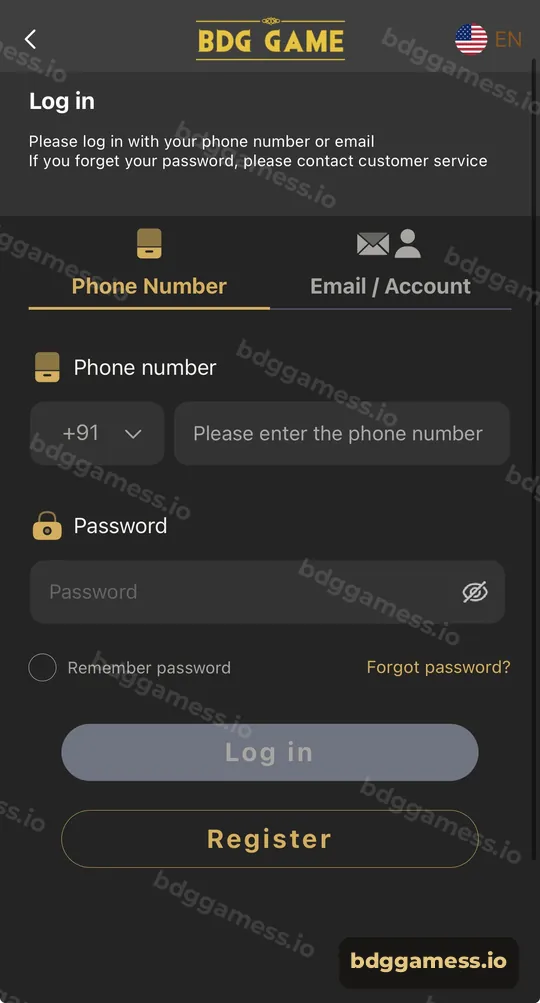
To log in to BDG Game, open the login page, choose the Phone Number tab, keep the +91 code, type your registered mobile number and password, then tap Log in. If you registered with an email or account name, switch to the Email / Account tab instead. Forgot your password? The login screen tells you to contact customer service.
How do you log in to BDG Game with a phone number?
Phone login is the default and the fastest option.
- Tap Log in on this site to open the BDG Game login page.
- Stay on the Phone Number tab.
- Leave the country code as +91 and enter your 10-digit mobile number.
- Type your password. Tap the eye icon to check it if needed.
- Optionally tick Remember password on your own phone only.
- Tap Log in. You land on the home screen with your balance showing.
How do you log in with an email or account name?
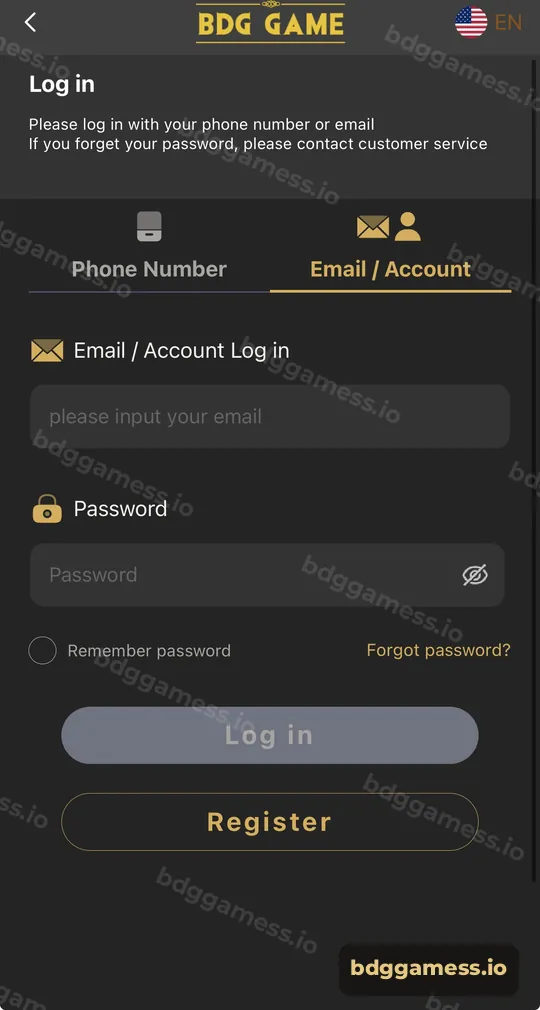
- On the login page, tap the Email / Account tab.
- Enter the email address or account name you registered with.
- Enter your password and tap Log in.
What is on the BDG Game login screen?
| Element | What it does |
|---|---|
| Phone Number tab | Sign in with +91 mobile number and password |
| Email / Account tab | Sign in with email or account name |
| Remember password | Keeps you signed in on that device |
| Forgot password? | Starts recovery; the page says to contact customer service |
| Register button | Opens sign-up if you don’t have an account |
| EN flag | Switches the interface language |
What should you do if BDG Game login fails?
Most failures are a typo, the wrong tab, or an old saved password. Check that you’re on the right tab for how you registered, re-type the password without autofill, and confirm your number has no extra 0 or +91 inside the box. More fixes are in the login problem guide, and password recovery is covered in the forgot password page.
How do you keep your BDG Game login secure?
- Only tick Remember password on a phone nobody else uses.
- Never share your password, even with someone saying they are an agent.
- Log out on shared devices from Account → Settings.
- Bookmark the real login page so you don’t land on a clone.
See the full account security checklist.
Where do you go after logging in?
Once in, the balance bar on the home screen shows your username and funds. From here you can deposit, claim rewards in Activity or jump into the Lottery. New here? Create an account first.
New to the platform? Start with our BDG Game overview for the full picture.
BDG Game login FAQs
Can I log in to BDG Game without a phone number?
Yes, if you registered an email or account name. Use the Email / Account tab.
Do I need an OTP to log in?
The login screen asks only for your number or email and password.
Why does BDG Game say my password is wrong?
Usually autofill is inserting an old password or you’re on the wrong tab. Type it manually and check caps lock.
How do I reset my BDG Game password?
Tap Forgot password? on the login page. The screen notes that if you forget your password you should contact customer service.
Can I stay logged in on BDG Game?
Tick Remember password on your own device. Avoid it on shared phones.
Can I use one BDG Game login on two phones?
You can sign in from another device with the same details. Log out of devices you no longer use.
Key takeaways
- Two login routes: Phone Number (+91) or Email / Account.
- Same password for both.
- Forgot password routes to customer service.
- Bookmark the real login page and never share your password.
