 Skip to content

Quick answer
Most BDG Game login problems come from a mistyped number or password, the wrong login tab, autofill using an old password, or a browser blocking the page. Re-type everything manually on the correct tab, switch network or browser, and if you still can’t get in, contact Customer Service with your UID.
Why is my BDG Game login not working?
In most cases, the details reaching the server aren’t the ones you think you typed. Autofill, an extra 0 before the number or caps lock are the usual culprits. Less often, the page itself isn’t loading because of network or browser settings.
What are the nine fixes for BDG Game login problems?
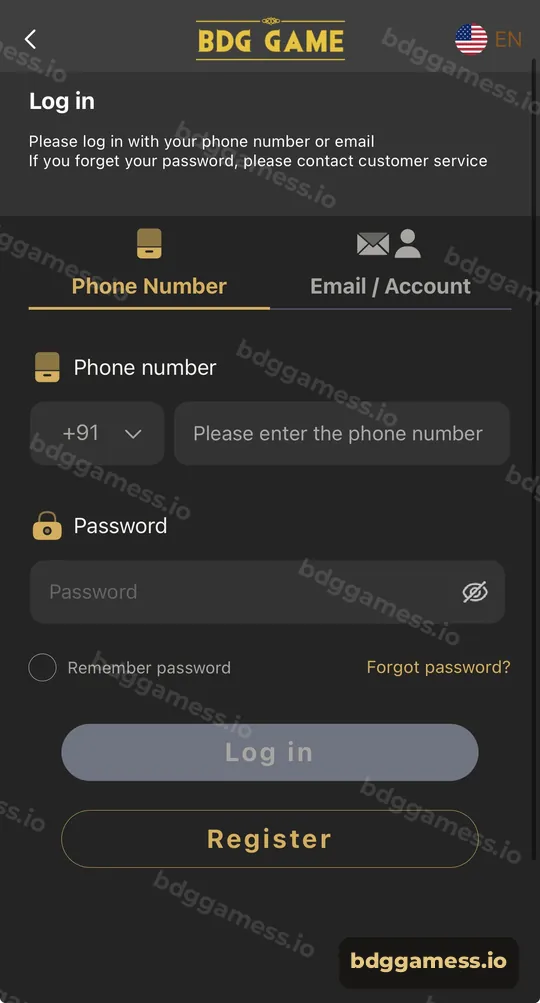
- Use the right tab. Phone users should be on Phone Number; email users on Email / Account.
- Check the number format. Keep +91 in the code box and type 10 digits, no leading 0.
- Type the password by hand. Turn off autofill for a moment.
- Check caps lock and keyboard language.
- Switch network. Move between Wi-Fi and mobile data.
- Try another browser or update the one you’re using.
- Clear cache and cookies for the BDG Game page.
- Turn off data saver or VPN, which can block game pages.
- Contact Customer Service if none of the above works.
Which error matches which fix?
| What you see | Likely cause | Fix |
|---|---|---|
| “Wrong password” | Autofill or typo | Retype manually; reset via support |
| Page blank or spinning | Network or browser | Switch network, clear cache |
| Account not found | Wrong tab or number | Check tab and number format |
| Logged out repeatedly | Cookies cleared | Tick Remember password on your own phone |
| App won’t open | Outdated app | Reinstall from the app page |
What if you forgot your password?
The login screen states that if you forget your password, you should contact customer service. Our forgot password guide explains what to prepare.
How do you avoid login problems in future?
- Bookmark the real login page or install the app.
- Use a password manager instead of browser autofill.
- Keep your UID noted somewhere safe.
- Never log in through links sent by strangers.
New to the platform? Start with our bdggamess.io for the full picture.
Login problem FAQs
Why does BDG Game keep logging me out?
Your browser may be clearing cookies. Tick Remember password on your own device or use the app.
My number shows as not registered. What now?
Check you aren’t adding a 0 or extra +91. If you registered with email, use the Email / Account tab.
Can a VPN stop BDG Game login?
Yes, some VPNs and data-saver modes block the page. Turn them off and retry.
How do I contact support if I can’t log in?
The register and login flow lets you return to the home screen, where the Customer Service button sits in the header.
Is my account blocked?
If you’ve tried every fix, ask Customer Service to check your UID.
Key takeaways
- Wrong tab, wrong number format and autofill cause most failures.
- Switch network, browser and clear cache next.
- Support handles password resets and account checks.
